

Can you play PS4 disc games on PS5? This is one of the most common questions that gamers ask when they upgrade from PlayStation 4 to PlayStation 5. Many players have a huge collection of PS4 disc games, and naturally, they want to know if these games will still work on the new console. The good news is that Sony has designed the PS5 to be backward compatible with the majority of PS4 games, which means that most of your favorite titles can still be enjoyed without having to buy a new copy. However, while the overall answer is yes, there are some details, exceptions, and tips you should know to make the most of your PS4 discs on a PS5.
Backward compatibility is a feature that allows a newer console to run games from its previous generation. For PS5, this feature is very important because it gives players confidence that their investment in PS4 games is not wasted. If you have physical disc copies of PS4 games, you can insert them into the PS5’s disc drive, and the console will recognize them. Once recognized, the PS5 may offer updates that improve the game’s performance, load times, and resolution. Many games actually run better on the PS5 thanks to its more powerful hardware, faster SSD storage,
Can You Play PS4 Disc Games on PS5? A Complete Guide for Gamers
Can you play PS4 disc games on PS5? The short answer is yes, most of them work perfectly. Sony designed the PS5 to be backward compatible with a huge number of PS4 games, which means your old favorites can still be enjoyed on the new console. If you have a PS5 with a disc drive, simply insert your PS4 disc, and the system will recognize it. Some games may even run better thanks to PS5’s faster SSD and upgraded hardware. However, not every game works flawlessly, so it’s important to check compatibility. This guide will help you understand how to play your PS4 disc games, what to expect, and tips to make the most of your PS5 gaming experience.
Why Most PS4 Disc Games Work on PS5 and What Exceptions Exist
Most PS4 disc games work on PS5 because Sony made backward compatibility a top priority. This means that thousands of games from the PS4 library can be played on the PS5 without buying a new copy. Games like Spider-Man, God of War, and Horizon Zero Dawn run smoothly and even feel faster. However, there are exceptions. A few older games may have glitches or not launch at all. Some features, like online multiplayer or special DLC, might need updates or subscriptions to work. Sony keeps a list of games that are not fully compatible, but they are very few. Overall, almost all PS4 disc games will work, but knowing exceptions helps avoid surprises.
PS5 vs PS4: How Backward Compatibility Works for Disc Games
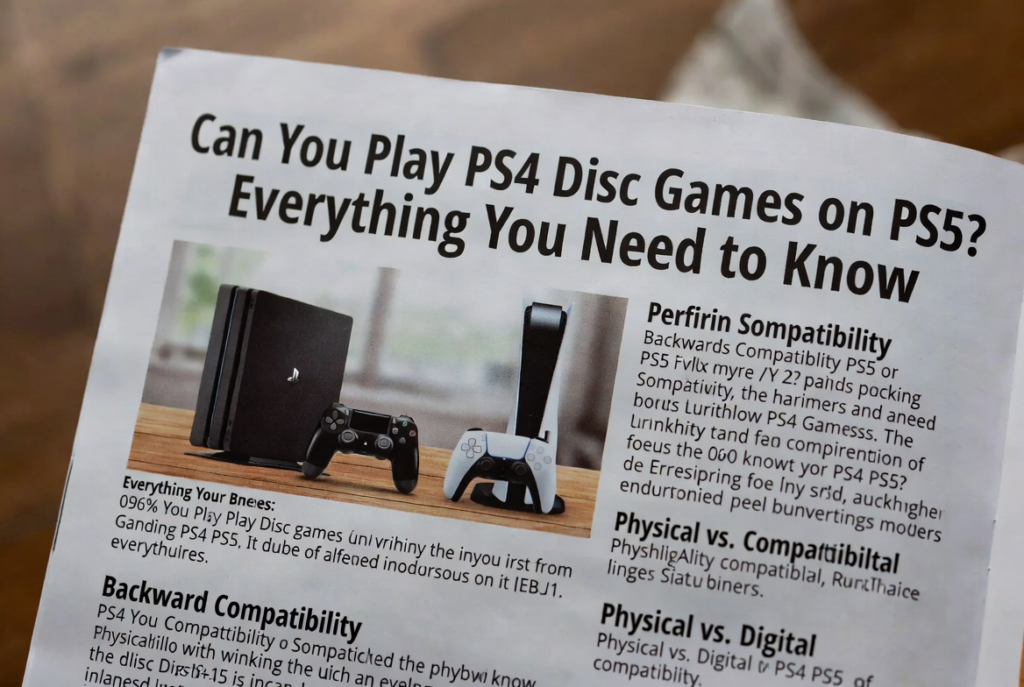
Backward compatibility on PS5 means it can run PS4 games using a combination of hardware and software improvements. When you insert a PS4 disc into a PS5, the console checks the game and may download updates to improve performance. The faster SSD reduces loading times, and the upgraded GPU makes graphics smoother. While the PS4 needed older hardware to run games, the PS5 can handle them much better. Some games may also get free PS5 upgrades with improved resolution or frame rates. Even if the game was released years ago, it can feel fresh and modern. Backward compatibility makes upgrading to PS5 worthwhile for players who already own PS4 discs.
Step-by-Step: Playing Your PS4 Disc Games on a PS5
Playing PS4 disc games on a PS5 is easy. First, make sure you have the PS5 standard edition with a disc drive. Turn on your console and insert the PS4 disc. The system will automatically recognize the game and may download updates or patches to improve performance. Once updated, you can start playing immediately. If the game has save data on your old PS4, you can transfer it to the PS5 via USB, Wi-Fi, or PlayStation Plus cloud storage. Some games may even offer a free upgrade to a PS5 version. Following these steps ensures you enjoy your PS4 games with better speed, graphics, and fewer loading times.
PS5 Upgrade Options for PS4 Disc Games: What You Should Know
Many PS4 disc games have free or paid upgrade options for PS5. This means that if you own the PS4 disc, you may be able to get the PS5 version without buying the full game again. Popular titles like Call of Duty, Assassin’s Creed, and Spider-Man often offer these upgrades. To check, insert your PS4 disc into the PS5, and the console will show upgrade eligibility. Some games require downloading the new version, while others only need updates. Upgraded versions usually feature better graphics, smoother performance, and faster load times. Knowing about PS5 upgrades ensures you get the best experience from your old PS4 discs.
Transferring PS4 Game Saves to PS5: Easy Methods for Gamers
Transferring your PS4 game saves to a PS5 is simple and important so you don’t lose progress. There are several ways to do it. One option is using a USB drive to copy your save files from the PS4 and then import them into the PS5. Another method is using PlayStation Plus cloud storage, which automatically uploads your saves online. You can also transfer data directly over Wi-Fi between the two consoles. Once your saves are on the PS5, you can continue exactly where you left off on your PS4. These methods make upgrading smooth and ensure you don’t have to start your favorite games from scratch.
Common Issues When Playing PS4 Disc Games on PS5 and How to Fix Them
Although most PS4 disc games work on PS5, a few issues may appear. Some games may crash, run slowly, or have minor glitches. These problems usually happen with older or less popular titles. To fix issues, make sure your PS5 software is updated, as Sony releases patches to improve compatibility. Reinstalling the game or clearing the cache can also help. If online features don’t work, check for updates or subscriptions needed for multiplayer. For disc-related issues, clean the disc or check for scratches. Most problems are minor and easily fixable, so you can enjoy your PS4 games on PS5 without major trouble.
Conclusion
Can you play PS4 disc games on PS5? Yes, almost all of them work, and the experience is often better than before. Your old games can feel faster and look nicer thanks to the PS5’s upgraded hardware. Remember, you need the PS5 with a disc drive to play physical copies, and digital editions cannot use discs. Transferring your saved games is simple and lets you continue where you left off. Some games even offer free PS5 upgrades, giving better graphics and smoother gameplay. Keep your console updated to avoid problems. Overall, playing PS4 games on PS5 is easy, fun, and makes your old collection feel brand new.
Upgrading to PS5 means you don’t have to leave your favorite games behind. Even games from years ago can run better and load faster. By following the steps for inserting discs, transferring saves, and checking for upgrades, you can enjoy both old and new experiences on the same console. Minor glitches are rare and usually easy to fix, so there is no need to worry. Playing your PS4 disc games on PS5 can feel exciting, like discovering them for the first time again. It’s a simple way to keep your gaming library alive and enjoy the best features of the new console.
